
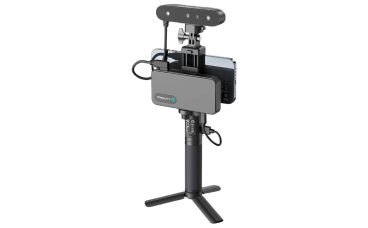
3D Scanner
This CR-Scan Ferret Pro scanner creates 3D models of objects you bring in. It is a wireless scanner with 0.1 mm accuracy; compatible with MAC, IOS, windows, and Android. The scanner will help you create a digital model of a physical object by capturing its shape, height, width, and depth.
Getting Started
All you have to do is bring the item(s) you want to 3D scan and a USB if you wish to keep any scans made during your appointment. The MakerSpace does have USBs for sell if needed.
How to Use
- Gather your supplies! You will need the item(s) you want to scan and the 3D scanner.
- Prepare and position your object and scanner.
- Start the 3D scanner and follow the instructions provided by the scanner or a MakerSpace staff member. Move the scanner around the object to capture a complete 3D model.
- Take the 3D scanner and upload the model into a computer to generate the data.
- Once uploaded you can edit your model and export your final model once you're happy with your adjustments.
Please contact our friendly MakerSpace staff for any questions or concerns regarding MakerSpace appointments or equipment. Please email Ted, and allow 2-3 business days for a response. We're here to help you learn and create!