Pricing
Cost is calculated by the materials used and the square footage, plus tax.
- Wood Stock = 5¢ per sq. inch
- Acrylic Stock = 10¢ per sq. inch
- Packaged Stock = Market Price
- CerMark Spray = $1 per side
- Adhesive Vinyl = 40¢ per sheet
- Heat Transfer Vinyl = $1.50 per ft.
- Printing = 25¢ per page
The MakerSpace is completely free to use if you bring in your own material.
Getting Started
- Design Space is a free online design software that is made for Cricut users. It allows you to create an account where you can design or browse thousands of projects for inspiration. The software is available in the MakerSpace.
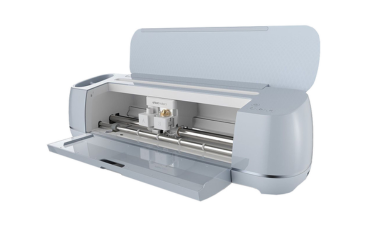
- Once you have your design selected, you will save your file as a .svg on a USB drive or if you are using a Bluetooth device to connect to the Cricut, use the prompts on the Cricut screen to connect the two devices.
How to Use
- Gather your supplies! You will need the Cricut machine, the item you plan to use, and the design and material you want to print on, if any.
- Upload your deign to connect your device through Bluetooth to upload your design.
- Insert your material into the machine and align it to the top left so the machine feeds material through correctly.
- Press the start button when your ready to begin and allow the machine to fully come to a stop before remove any material from the back panel.
Please contact our friendly MakerSpace staff for any questions or concerns regarding MakerSpace appointments or equipment. Please email Ted, and allow 2-3 business days for a response. We're here to help you learn and create!