Pricing
Cost is calculated by the materials used and the square footage, plus tax.
- Wood Stock = 5¢ per sq. inch
- Acrylic Stock = 10¢ per sq. inch
- Packaged Stock = Market Price
- CerMark Spray = $1 per side
- Adhesive Vinyl = 40¢ per sheet
- Heat Transfer Vinyl = $1.50 per ft.
- Printing = 25¢ per page
The MakerSpace is completely free to use if you bring in your own material.
Getting Started
- Choose the item(s) you want to engrave and measure the area you want the laser to cut, or engrave, on.
- We recommend Corel Draw, a design software accessible from the MakerSpace computers. for printing to the laser cutter is Corel Draw.
- Once you have finished your design, find the speed and power settings best used for your material type.
- In the print preferences screen, choose the options that are best suited to your needs. Library staff is always available to help you, especially with this step!
How to use
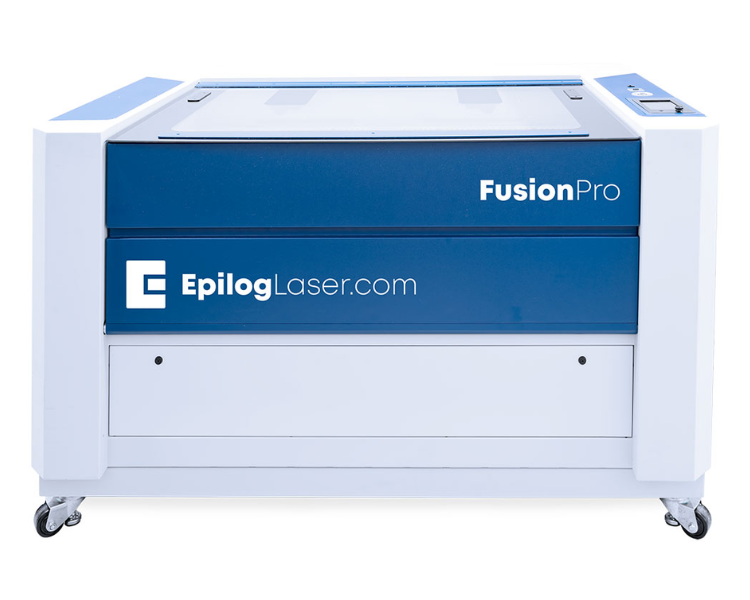
- After choosing your design and the area you want to engrave or cut place the object in the machine. Some objects, such as glasses, will require a rotator. Please see library staff about installing the rotator.
- Send the print job over once your object is in the correct position, and then hit print on the laser.
- Depending on the amount of design elements and the total size being engraved, the job could take up to 15 minutes or longer for each item. Stainless Steel Tumblers usually take around 3 minutes per cup.
Please contact our friendly MakerSpace staff for any questions or concerns regarding MakerSpace appointments or equipment. Please email Ted, and allow 2-3 business days for a response. We're here to help you learn and create!